📅
One family calendar
Everyone connects Google or Outlook. Events land colour-coded by member, with UK bank holidays already in place.
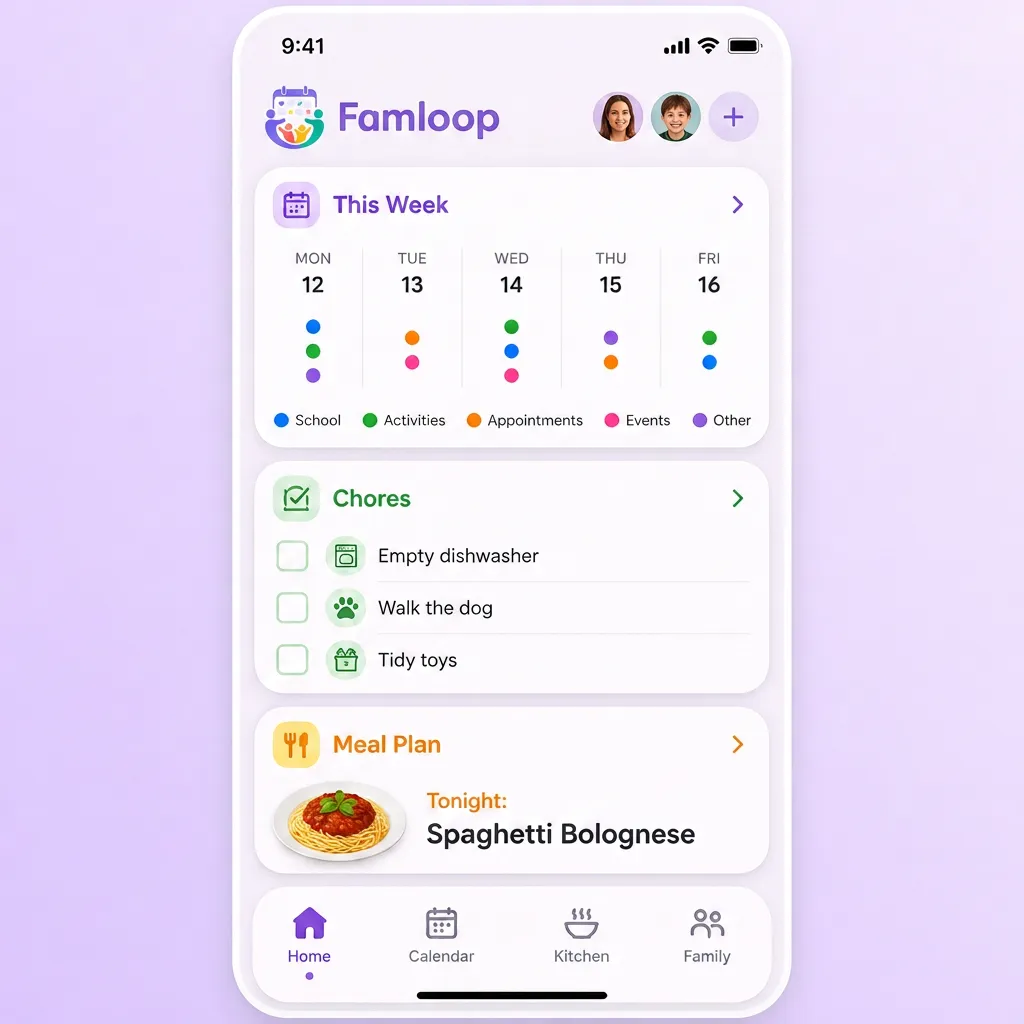
Famloop pulls everyone's Google and Microsoft Outlook calendars into a single family view — with chores, meals and the shopping list right beside them.
Free for up to 3 members · No ads · Set up in minutes
Google & Outlook sync
Two-way, per member
No ads, ever
Your data is never sold
Works offline
Installs like an app
Free to start
Up to 3 members
The three things that cause most household chaos, handled in one place.
Everyone connects Google or Outlook. Events land colour-coded by member, with UK bank holidays already in place.
Assign, tick off, celebrate. Rotas rotate themselves and rewards keep everyone motivated.
Plan the week's meals together, then push the ingredients straight onto the shared shopping list.
Looking for the calendar in detail? See how the shared family calendar works for UK families.
No sign-up needed. Add an event, tick off a chore, or swap tonight's meal — then keep it when you join.
This is a preview — your real family space syncs with Google and Microsoft calendars.
Keep this family — sign up freeThree simple steps to a calmer, more connected family routine.
Set up your family space, choose a name, and pick the colour theme that feels like home.
Link Google Calendar and Microsoft Outlook accounts so every event lands in one shared view.
Add family members by email, assign colours, and start sharing chores, meals and reminders.
"Famloop began around our family kitchen table. Like so many families, our days were busy. As parents of an autistic child, we understand how important routine and predictability can be."
Every feature is inspired by real conversations, real challenges, and the simple hope of helping families start their day feeling calmer and more connected.
We wanted one place where everyone could see the day ahead and feel prepared.
— Michael & the Famloop family
Your family data is protected, never sold, and always under your control.
Calendar tokens are encrypted at rest and all traffic uses HTTPS.
No ads, no tracking for advertisers, and no data sales.
Your family owns the content you create. Delete it anytime.
Quick answers about shared calendars, chores, and shopping lists.
Every family member gets their own colour. Events from Google Calendar and Microsoft Outlook flow into one place, so you can see the whole week at a glance — school runs, work meetings, clubs, and appointments all together.
Yes. When you invite someone, you can pick their personal colour. Their events, chores, and reminders appear in that colour across the calendar so everyone knows who is doing what.
Admins can set up chores and assign them to specific family members. Children can tick chores off when they are done, and you can set rewards such as pocket money or family days out to keep motivation high.
Yes. You can set recurring chores that rotate between chosen family members each week or month, so nobody gets stuck with the same jobs forever.
Absolutely. The shared shopping list updates live across every device. Any family member can add an item, check it off, or rearrange it while they are out and about.
Yes. When you plan meals, you can push the ingredients straight onto the shopping list. That means fewer forgotten items and less last-minute supermarket stress.
The Free plan covers a shared family calendar, chores, meal plans, and shopping lists for up to 3 members. Premium plans add larger households, AI suggestions, and two-way calendar sync, with a 14-day free trial.
Calendar tokens are encrypted, each member signs in with their own account, and you control who can see or edit what. You can disconnect any linked account instantly.
Create your family space, connect a calendar, and invite everyone — it takes a few minutes and it's free to start.